記事公開日
【Intro to Kiro】Kiro Getting Started Part 1: A Deep Dive into Basic Features

Key Points of This Article
Based on the official AWS Skill Builder course "Kiro Getting Started," this article explains the key features and design philosophy of "Kiro," the next-generation AI development environment based on VS Code. We have organized the concrete workflow of collaborating with AI, from specification formulation to implementation.
- Implementation of Specification-Driven Development (Spec Mode):
We introduce a method to structure requirements using the "EARS (Easy Approach to Requirements Syntax)" notation to accurately convey intentions to the AI. - VS Code Compatibility and Two Operation Modes:
We explain how to collaborate by switching between the autonomous "Autopilot" and the confirmation-focused "Supervision Mode" within the familiar VS Code environment. - Optimization for Projects (Steering / MCP):
We touch upon customization features for practical use, such as learning coding conventions via "Steering" and linking external resources using "MCP."
Introduction: What is Kiro?
"Kiro" has garnered significant attention, featuring a dedicated booth at re:Invent. Many of you might feel, "I've tried it and it's useful, but I want to understand the basic functions and underlying philosophy."
In this post, I will explain Kiro's actual interface and key features while taking the "Kiro Getting Started (Japanese)" course available on AWS Skill Builder.
AWS Skill Builder course screen
Kiro Basic Overview
Kiro is an IDE designed to streamline the entire software development process, from prototyping to production deployment.
Its biggest feature is that it is based on Visual Studio Code (VS Code). Therefore, existing VS Code users can enjoy advanced AI capabilities while keeping their familiar environment, including extensions, terminal operations, and shortcuts.
Kiro goes beyond simple code completion; it emphasizes "collaboration between humans and AI agents," functioning as a partner where the developer retains control (steering) while the AI autonomously handles tasks.
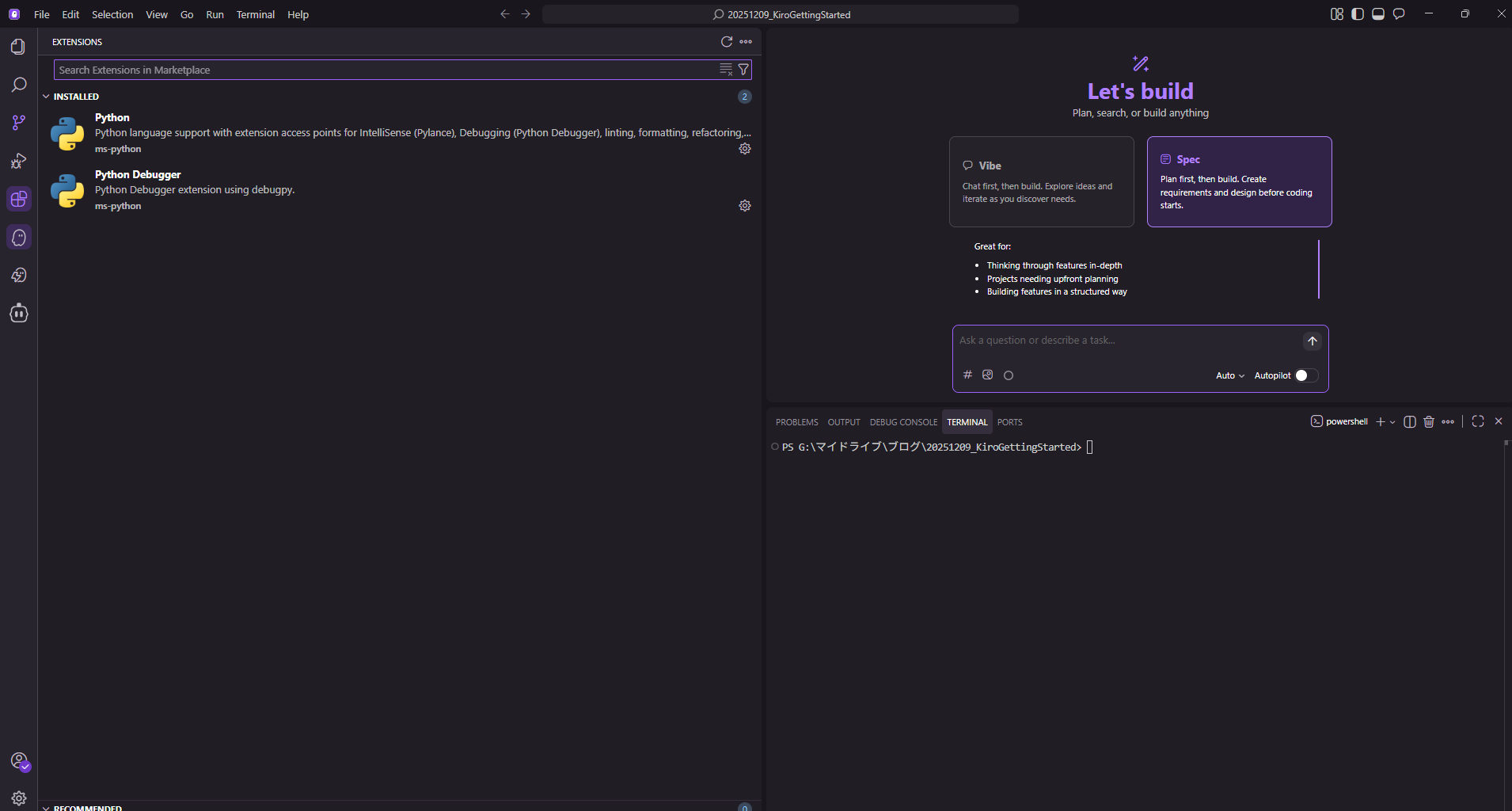
Extensions and terminal functions are available
Feature 1: Specification-Driven Development
What sets Kiro apart from other AI coding tools is its adoption of the Specification-Driven Development (Spec Mode) approach.
Instead of writing code immediately, you first break down "what you want to build" from high-level ideas into structured requirements. Kiro uses the EARS (Easy Approach to Requirements Syntax) notation to decompose complex functions into clear requirements.
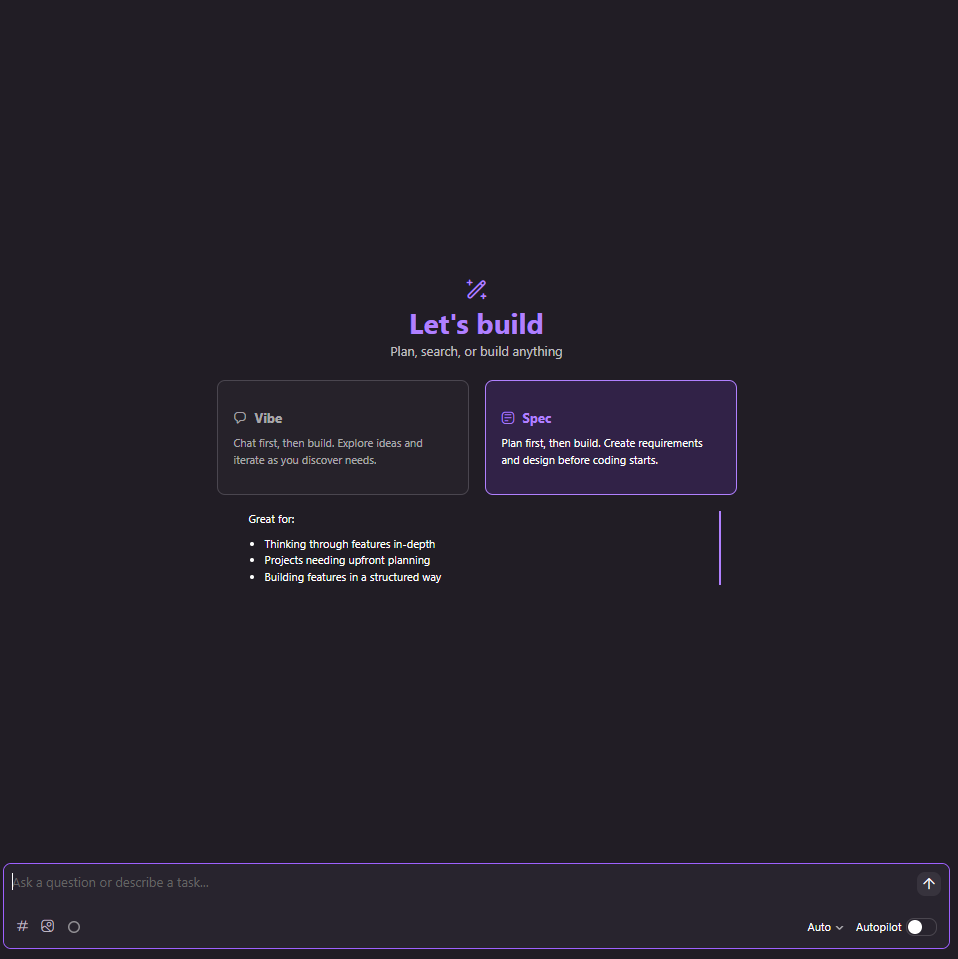
You can start from requirements definition in Spec Mode
This allows development teams to accurately agree on what to build and define success, preventing rework. It also features checkpoint creation, making trial and error easier.
Feature 2: AI Chat and "Vibe"
Kiro integrates a powerful chat interface. Users can converse with the AI agent in natural language to ask questions, explain contexts, and request code generation or modification.
Through an interface called "Vibe" on the screen, you can brainstorm ideas and drill down into detailed functions. Once the requirements are solidified, the AI generates code accordingly.
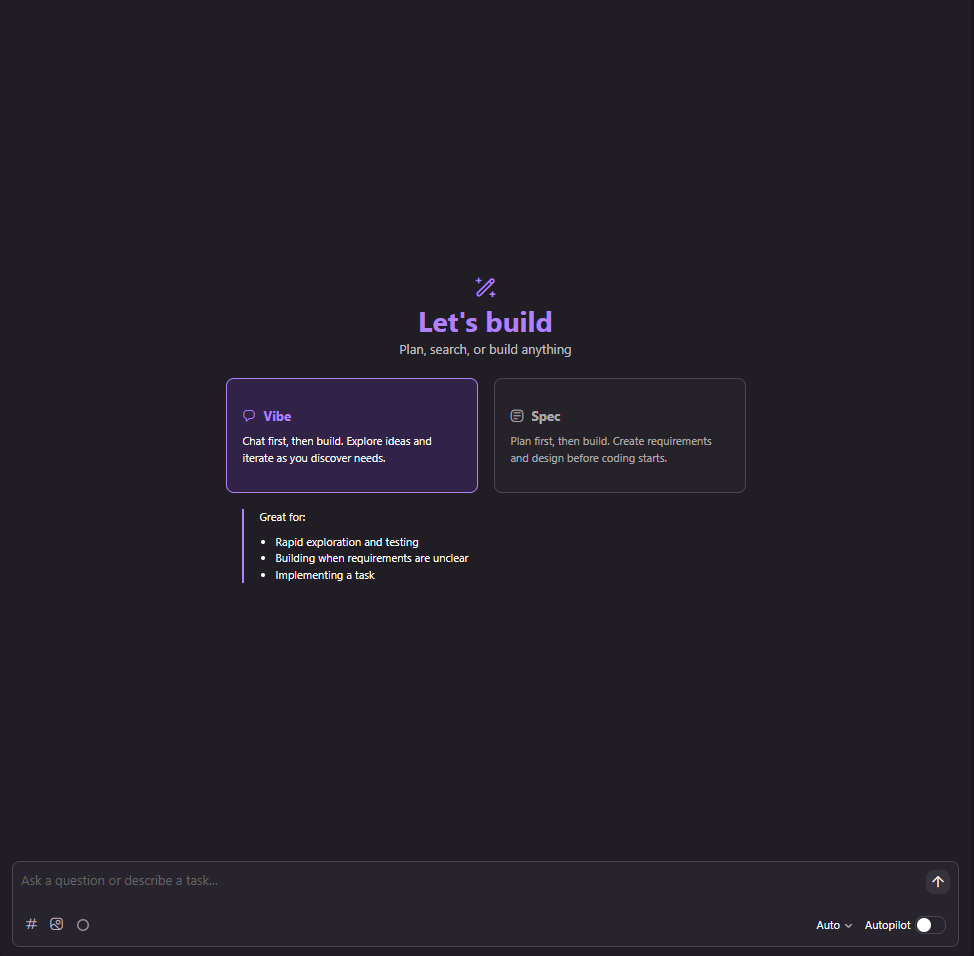
Code creation is possible in Vibe Mode
Feature 3: Autopilot and Supervision Mode
There are two main modes for AI code generation:
Autopilot Mode
Implements changes across multiple files at once without step-by-step approval. It demonstrates overwhelming speed for routine tasks or clear-cut operations.
Supervision Mode
Developers approve changes proposed by the AI one by one before implementation. The review system allows rollbacks if necessary. This is suitable for careful progression, such as when changing critical logic.
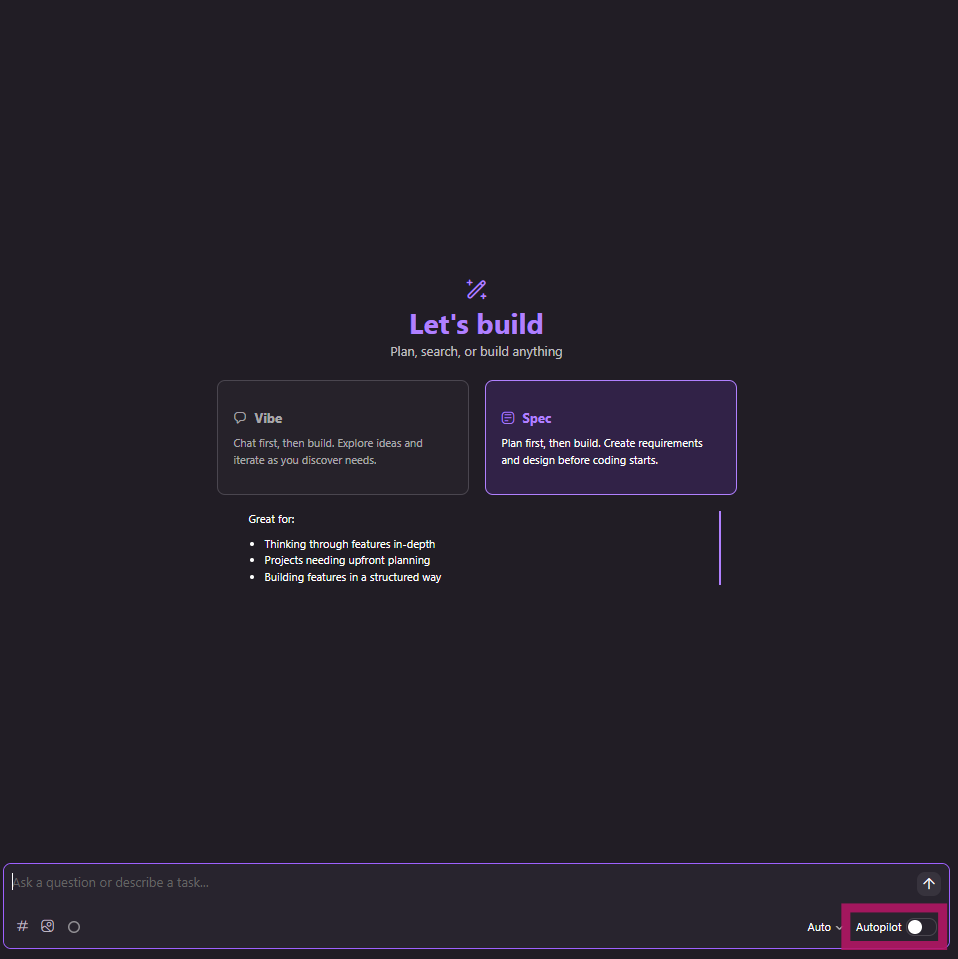
Modes can be switched via the button at the bottom right
Technical Concepts to Know
The Skill Builder course also introduces important technical concepts for mastering Kiro.
Steering
"Steering" is a feature that provides the AI with project-specific rules and knowledge. By placing Markdown files in a dedicated directory (e.g., .kiro/steering), you can have the AI persistently learn coding conventions and architectural decisions.
This ensures that even across different sessions, the AI doesn't forget "the rules of this project" and generates code that follows team standards.
Model Context Protocol (MCP)
Kiro supports the MCP (Model Context Protocol) to integrate with external tools and documents. For example, you can connect Kiro to internal proprietary documentation or the latest cloud service API specifications via an external server, allowing development to proceed while referencing them.
Additionally, Agent Hooks allow you to define automation, such as "automatically run tests when a file is saved."
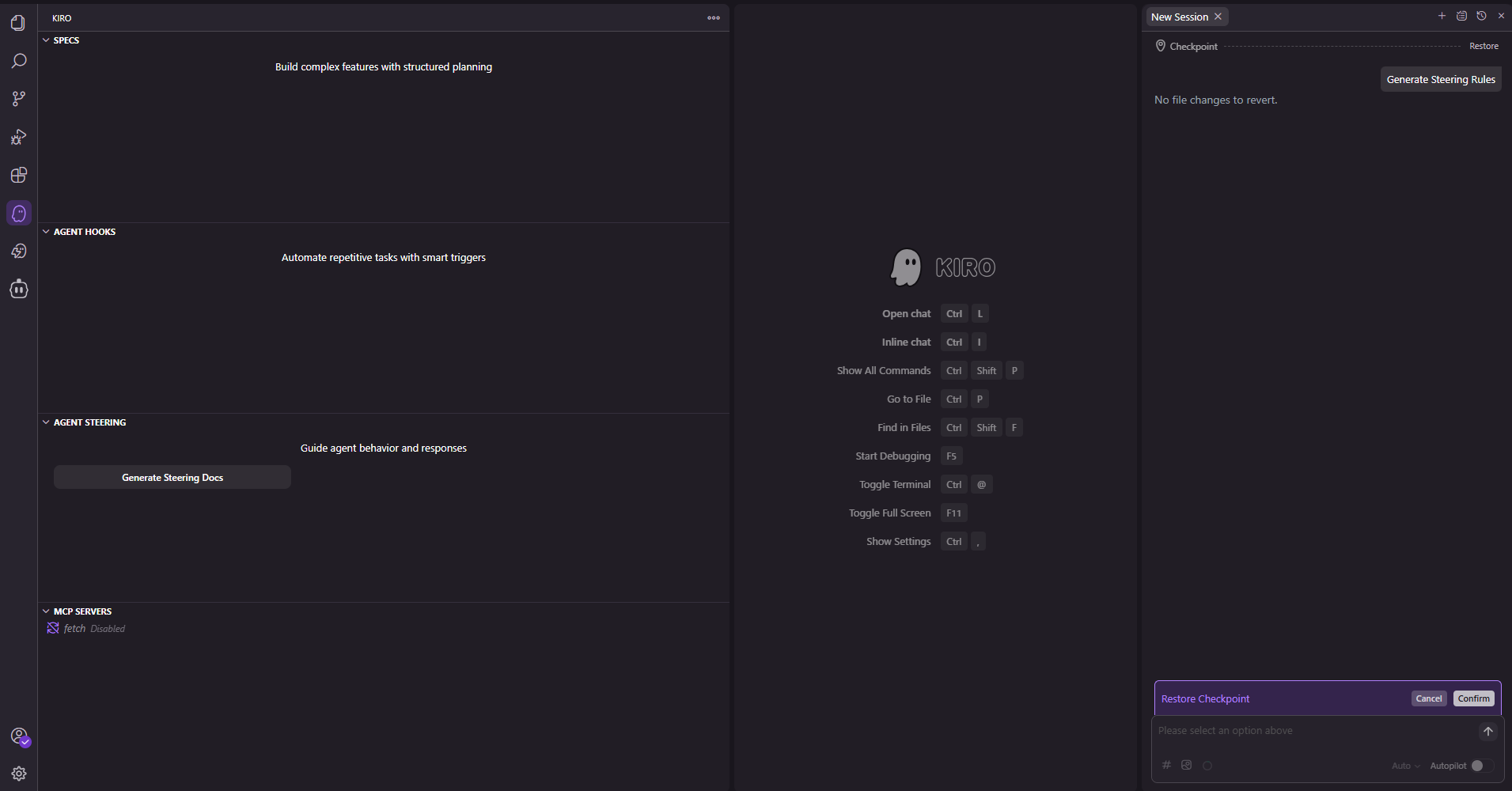
Access Steering, MCP, and Agent Hooks from the left menu
Summary
Kiro is not just a "code generation tool" but a new IDE for advancing everything from specification formulation to implementation and automation together with AI. Since it is VS Code-based, the adoption barrier is low, and running on AWS infrastructure provides peace of mind regarding security (encryption in transit and at rest).
The specification-driven development approach might take some getting used to at first, but it seems to be a powerful weapon for reducing rework and building software as intended.
Next time, I'll try out a Kiro demo in practice!
If you are interested, please check out the AWS Skill Builder course.
Kiro Getting Started (Japanese)
If you have requests like "I want to know about this service" or "AWS environment construction/migration," please feel free to contact us via our Inquiry Form. For inquiries regarding complex matters, our sales team will contact you directly. Also, please check out the links below!
<QES Related Solutions/Blogs>
<The AWS Security Consortium (ASC-J), in which QES participates, has released a white paper>
※Amazon Web Services, the "Powered by Amazon Web Services" logo, and other AWS trademarks used in this blog are trademarks of Amazon.com, Inc. or its affiliates in the United States and other countries.