記事公開日
Enabling MCP on Kiro: A Hands-on Guide!

Key Takeaways
This article introduces how to implement MCP (Model Context Protocol) into the autonomous AI agent "Kiro".
- Extending Functionality with MCP:
By simply adding code to the configuration file, Kiro can integrate with external resources. In this guide, we use the "AWS Documentation MCP Server" to enable access to the latest and most accurate official information. - Step-by-Step Installation Guide:
We explain the process step-by-step, from searching for MCP servers on the web to editing the configuration file within Kiro and verifying the installation. - Usage Tips:
Even with MCP installed, it may not be used automatically. We confirmed that explicitly instructing "use MCP" in the prompt ensures the intended behavior.
Hello! I'm Kikuchi from the DX Solution Division.
In this post, I will introduce how to install and configure "MCP (Model Context Protocol)" to further extend the capabilities of the autonomous AI agent "Kiro".
Kiro is powerful by default, but adding an MCP server allows it to connect with external resources like official AWS documentation, enabling it to provide more accurate and specialized answers.
Steps to Introduce MCP to Kiro
As an example, we will install the "AWS Documentation MCP Server".
By introducing this, Kiro will be able to read official AWS documentation and provide answers based on the latest and most accurate information.
The general steps are as follows:
- Searching for an MCP Server
- Editing mcp.json
1. Searching for an MCP Server
First, search for publicly available MCP servers on the web.
You can find MCPs you want to use from sites like the one below.
Since we are using the "AWS Documentation MCP Server" this time, find the target MCP from the link above and copy the configuration code.
▼ Code to copy (Example)
{
  "mcpServers": {
    "awslabs.aws-documentation-mcp-server": {
      "disabled": false,
      "timeout": 60,
      "type": "stdio",
      "command": "uv",
      "args": [
        "tool",
        "run",
        "--from",
        "awslabs.aws-documentation-mcp-server@latest",
        "awslabs.aws-documentation-mcp-server.exe"
      ],
      "env": {
        "FASTMCP_LOG_LEVEL": "ERROR",
        "AWS_DOCUMENTATION_PARTITION": "aws"
      }
    }
  }
}
*Please note that the code differs between Windows and Linux environments, so please copy the code appropriate for your environment.
2. Editing mcp.json
Launch Kiro and select the Kiro icon from the menu on the left.
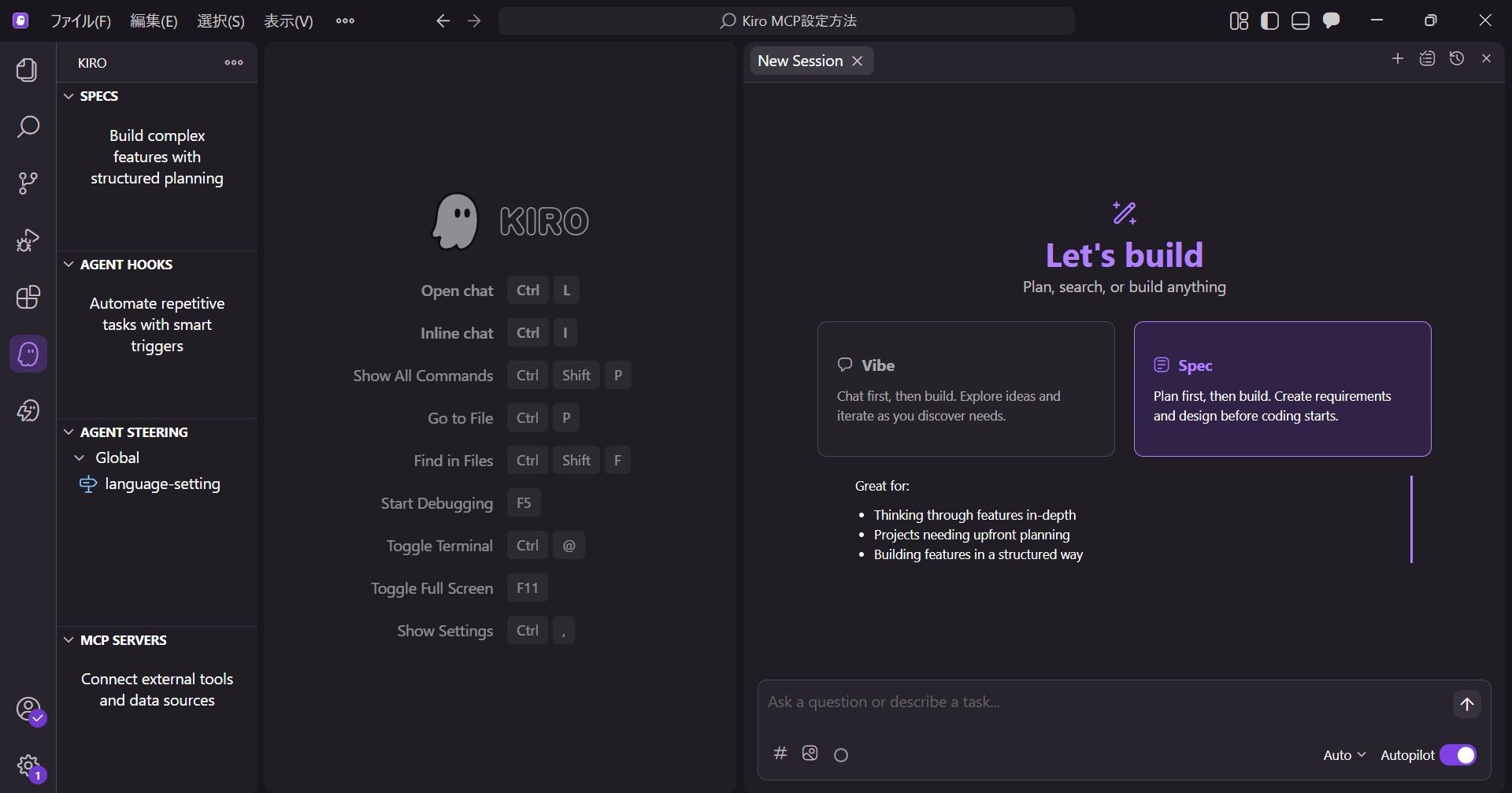
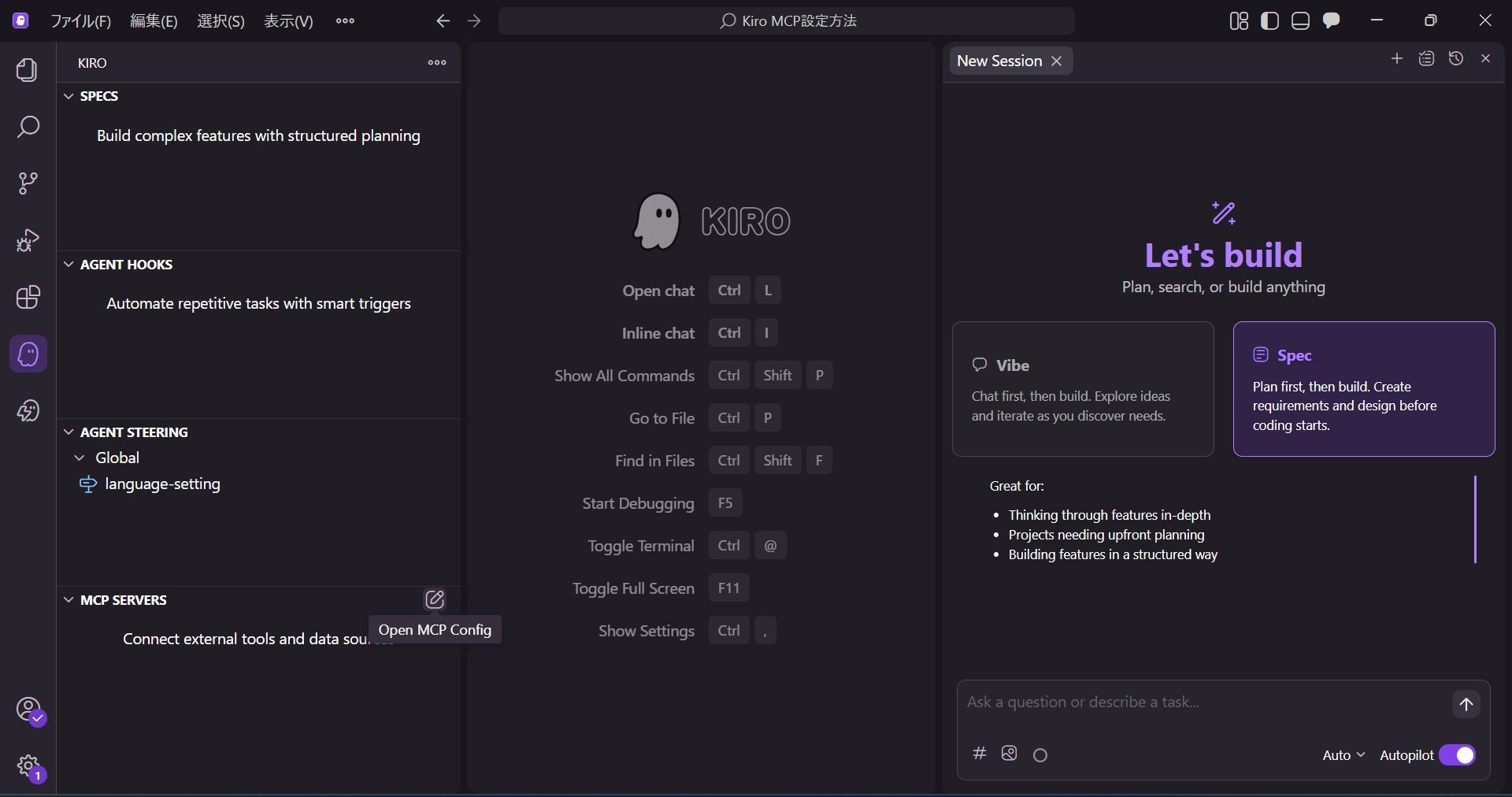
Hover over the "MCP SERVERS" item and select "Open MCP Config" that appears.
The mcp.json file will open. Paste the MCP server code you copied earlier.
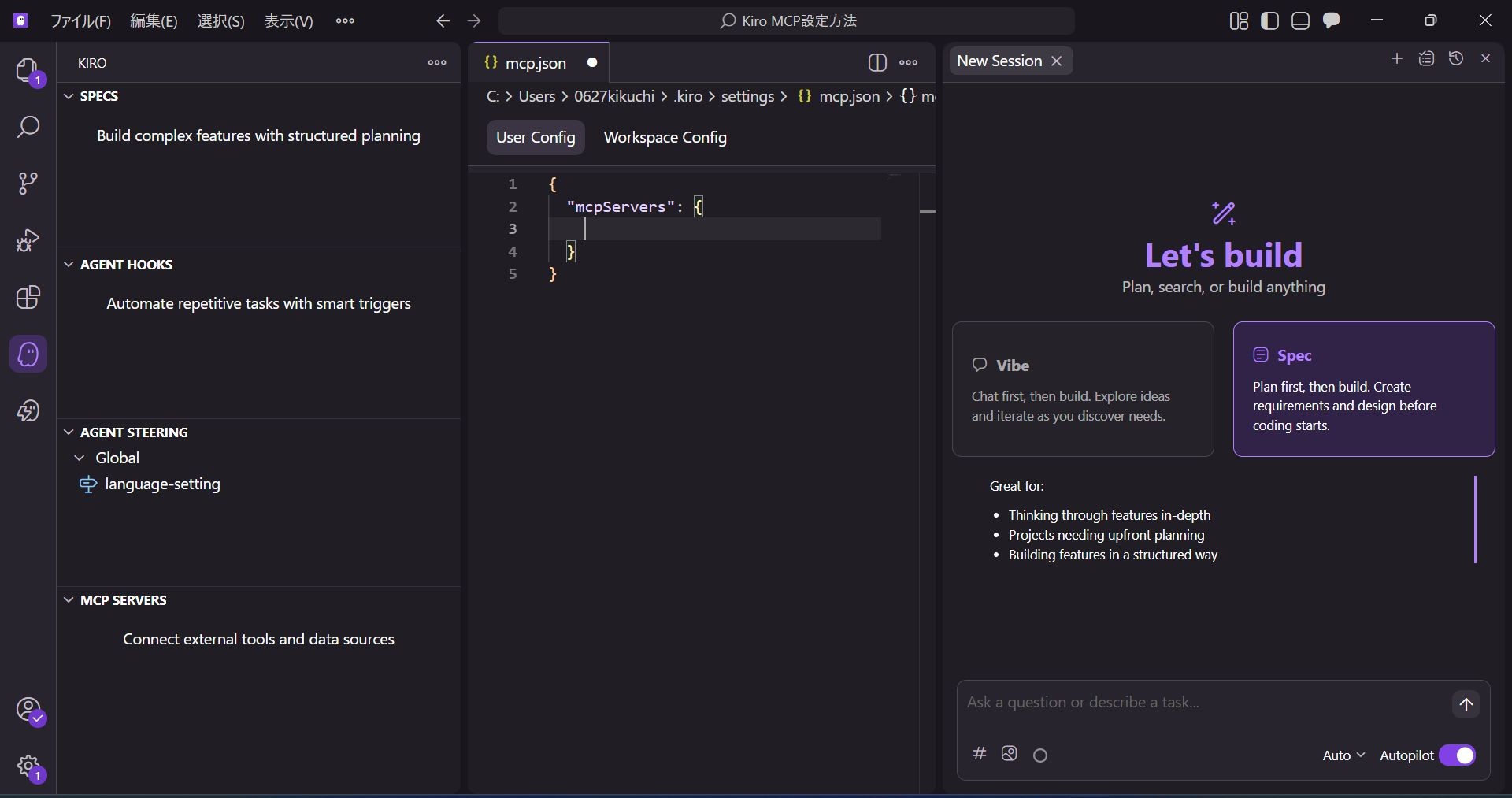
Save the file once pasting is complete.
After saving, if the added MCP appears in "MCP SERVERS" on the sidebar with a green checkmark, the installation is successful.
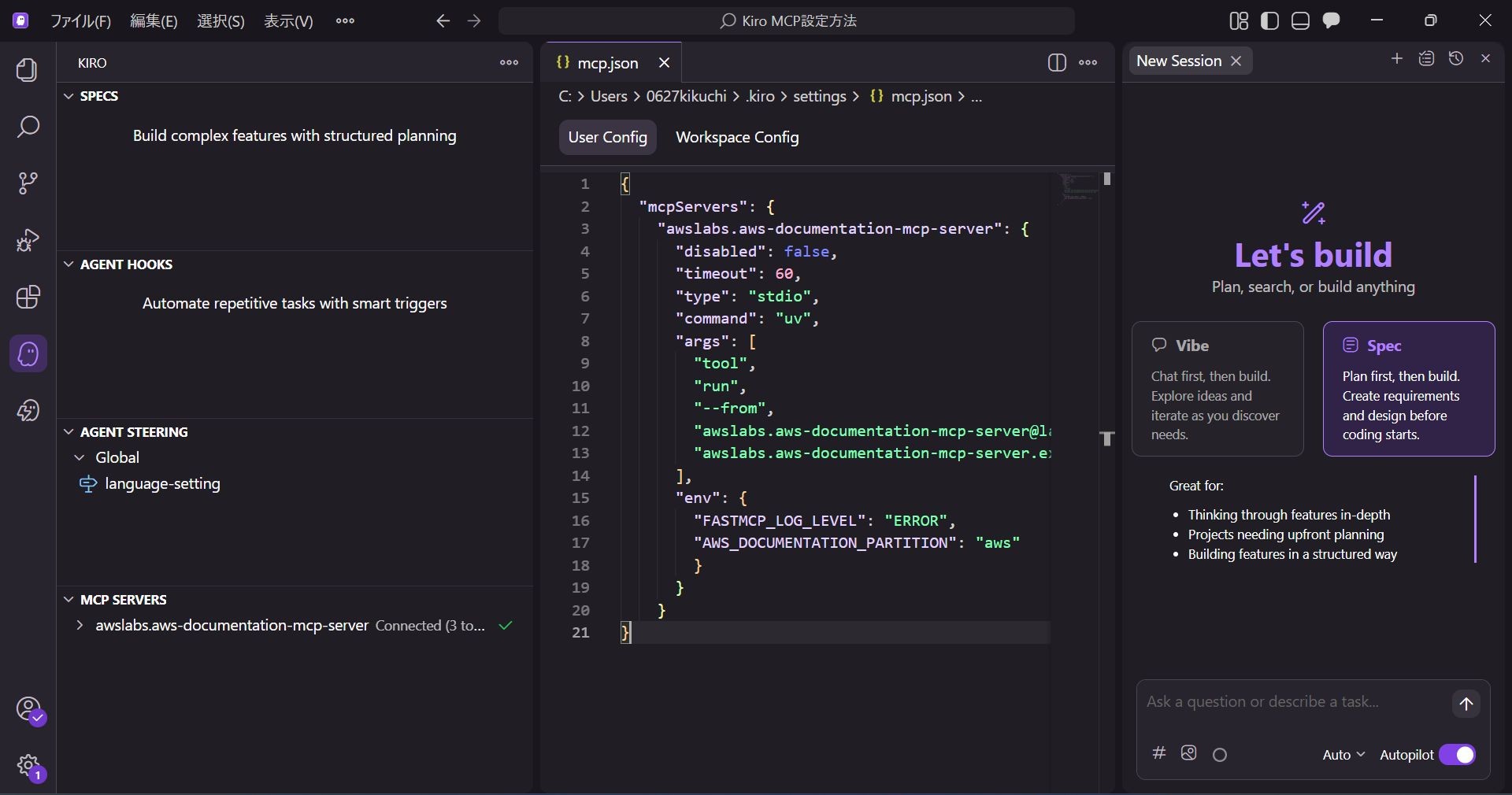
*If you want to change the display name, you can do so by changing the name following "mcpServers": { in mcp.json.
If you are installing multiple MCPs, we recommend changing them to easy-to-understand names for better management.
Changes in Responses with/without MCP
Let's verify if the answers change depending on the presence of MCP.
We will ask a question about S3 in a Vibe session.
The prompt is fixed as: "Tell me about S3 storage classes."
1. Without MCP Configured
When nothing is configured, Kiro outputs an answer based solely on its existing knowledge.
I will omit the full text as it is long, but it explained the major storage classes.
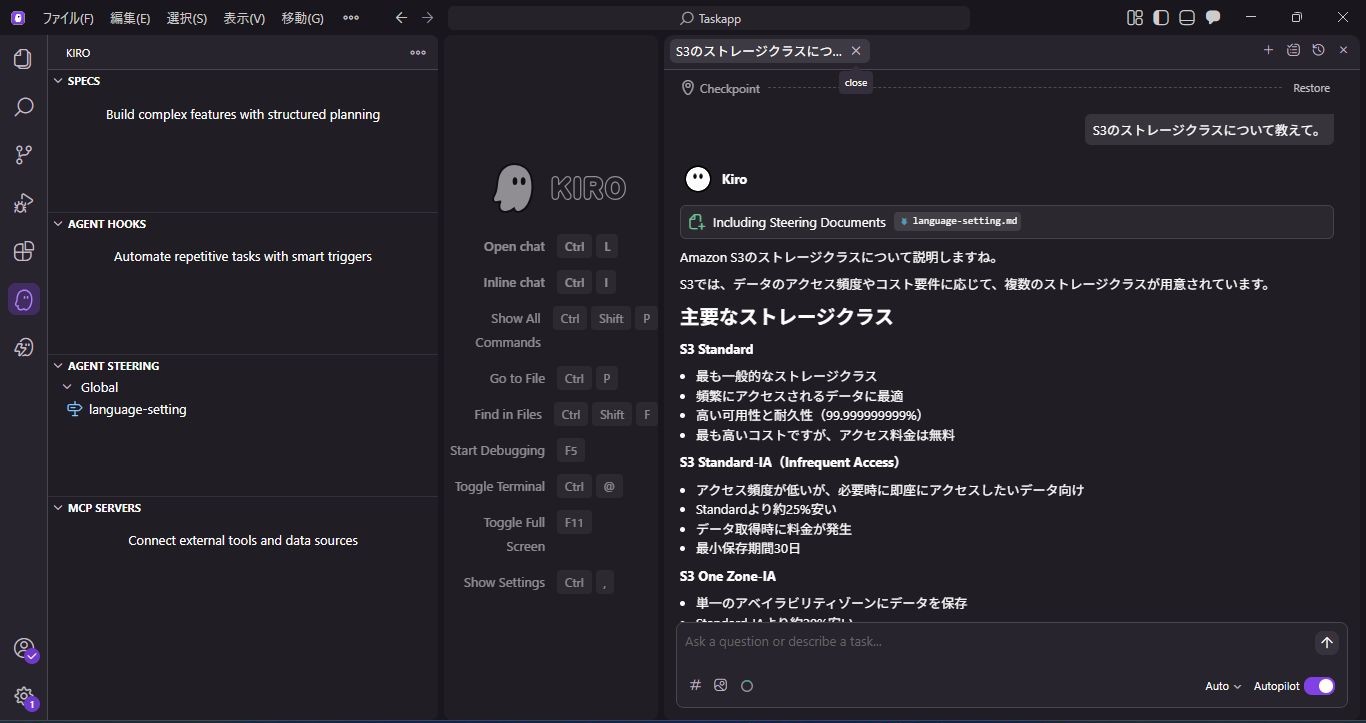
2. Using MCP
When I asked the question with MCP configured, I received an answer without it using MCP.
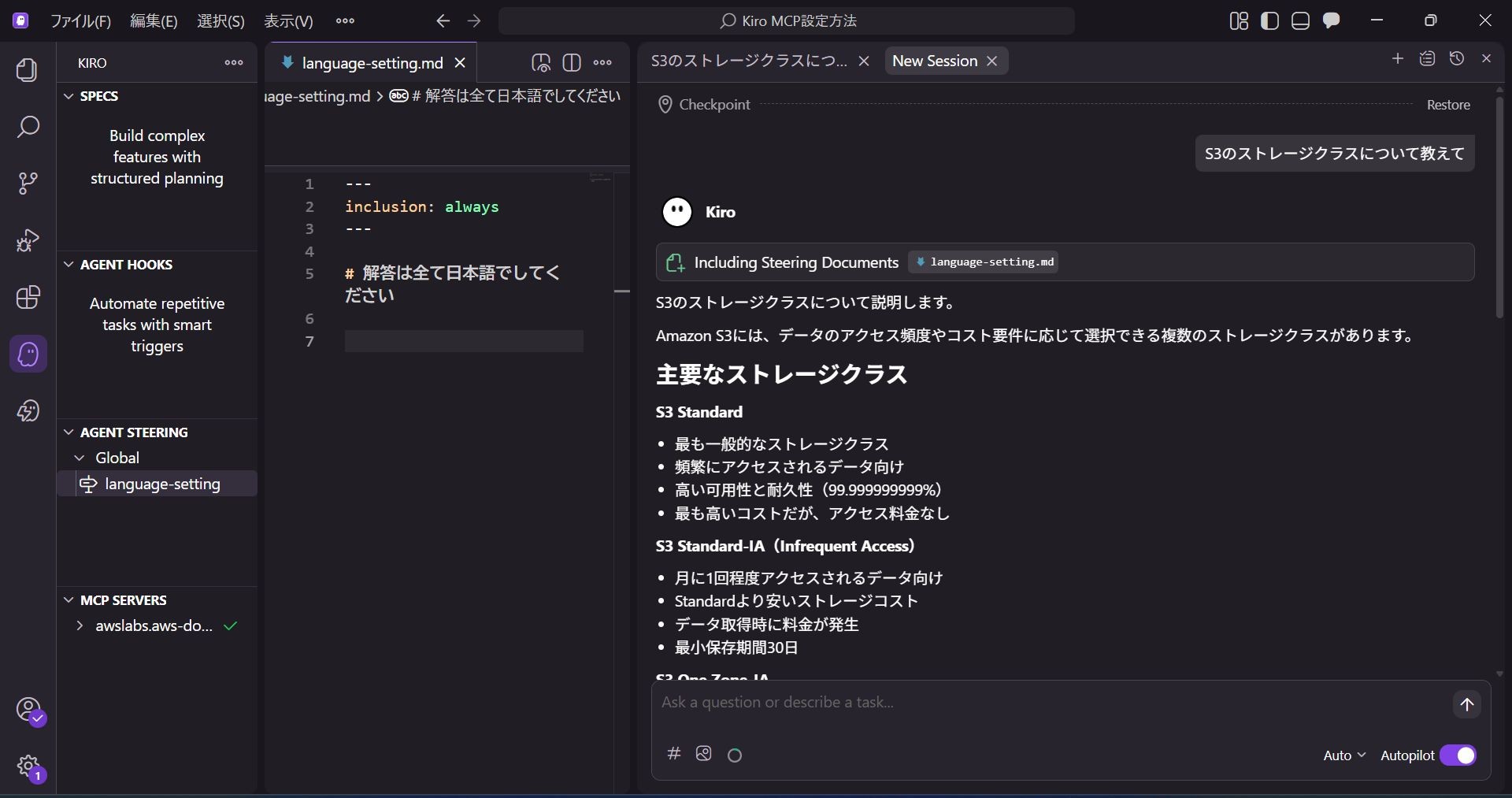
Since I want it to answer using MCP, let's explicitly instruct it to use MCP.
Prompt: "Gather information using MCP and tell me about S3 storage classes."
Even if MCP is installed, the AI may not necessarily use it, so it seems better to take measures such as changing the prompt or creating a rule file.
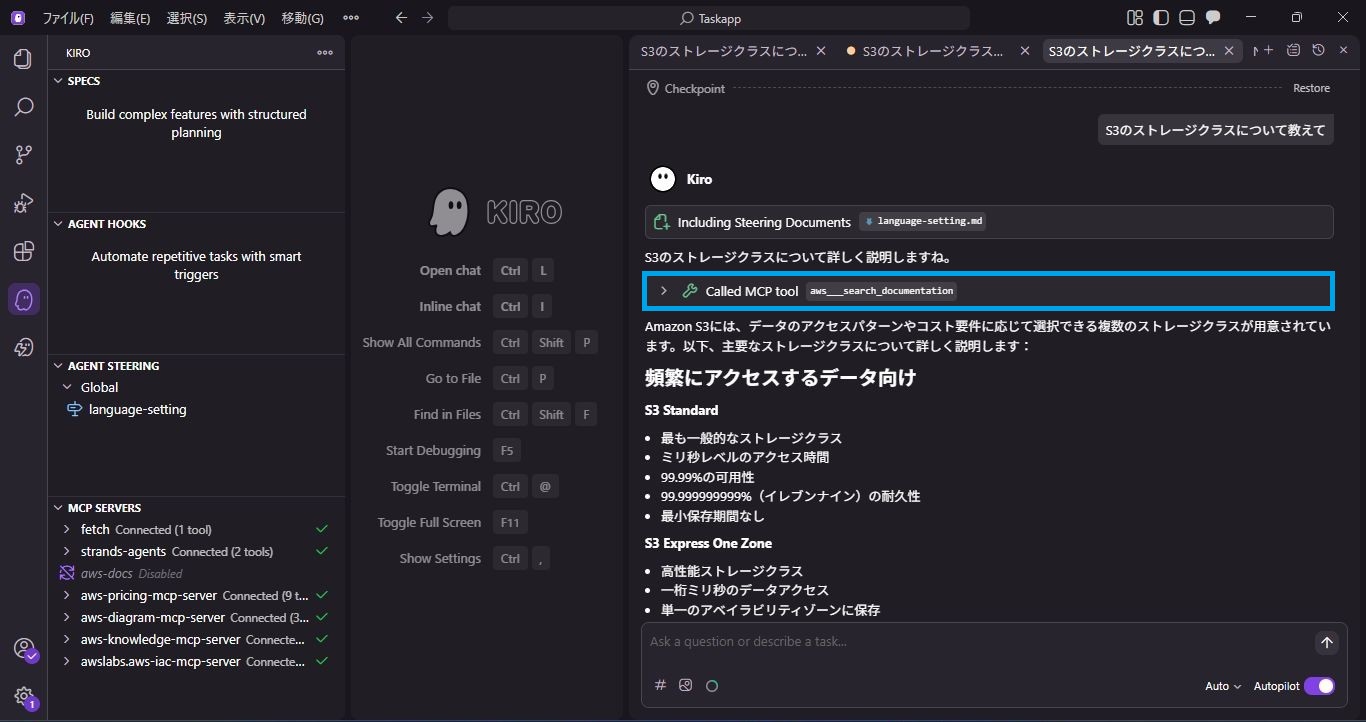
I was able to get an answer using MCP.
Comparing the answers with and without MCP, I found the following differences:
| Comparison Item | Without MCP | With MCP |
|---|---|---|
| Types of Storage Classes | S3 Express One Zone absent | S3 Express One Zone present |
| Classification of Storage Classes | None (Selection guidelines at the end) | Classified by Use Case |
| Numerical Information | Abstract (e.g., about 25% cheaper) | Concrete (e.g., 99.99%) |
| Presence of Summary Table | None | Present |
As a result, using MCP generated more detailed and concrete content, classified by use case.
Summary
In this article, I introduced the steps to install MCP into Kiro and have it reference AWS documentation.
The appeal of MCP is that you can easily extend functionality just by editing mcp.json.
Various MCP servers other than AWS are also available publicly, so please try customizing it according to your project.
↓QES will be actively sharing information about Kiro, so please check it out!
We aim to become Japan's #1 resource for Kiro! Our mission is to evangelize this technology by empowering end-users with top-tier education and technical support.
If you have requests such as "I want to know about this service" or "Constructing and migrating AWS environments," please feel free to contact us via our Contact Form. We may introduce it in this blog later, or for inquiries regarding complex details, our sales team will contact you directly. Also, please check out the links below if you are interested!
<QES Related Solutions/Blogs>
<The AWS Security Promotion Consortium (ASC-J), in which QES participates, has released a white paper>
*Amazon Web Services, the "Powered by Amazon Web Services" logo, and other AWS trademarks used in this blog are trademarks of Amazon.com, Inc. or its affiliates in the United States and other countries.