記事公開日
[Troubleshooting] Powers Not Working? How Kiro Solved a Python Version Error on Its Own

Key Points of this Article
I will share the error encountered during the installation of Kiro's AWS CDK integration Power and how it was resolved.
- Python Version Conflict:
A defect occurred where the AWS Power dependency library would not work in the latest Python 3.14 environment. - Self-Diagnosis by Kiro:
When the error occurred, Kiro analyzed the logs itself and suggested "downgrading to Python 3.12". - Resolution via Config File:
Solved by adding arguments tomcp.jsonto forcibly specify the Python version during Power execution.
Hello, this is Miura from the DX Solution Division.
Recently, when I tried to install and use the official AWS Power, "Build AWS infrastructure with CDK and CloudFormation", in "Kiro", I encountered an environment-dependent error.
When I asked Kiro to fix it, Kiro identified the cause on its own and presented a solution. In this post, I will share the troubleshooting process and the specific solution (configuring mcp.json).
For an overview of Powers, please also refer to the official AWS blog.
Power Installation and MCP Error
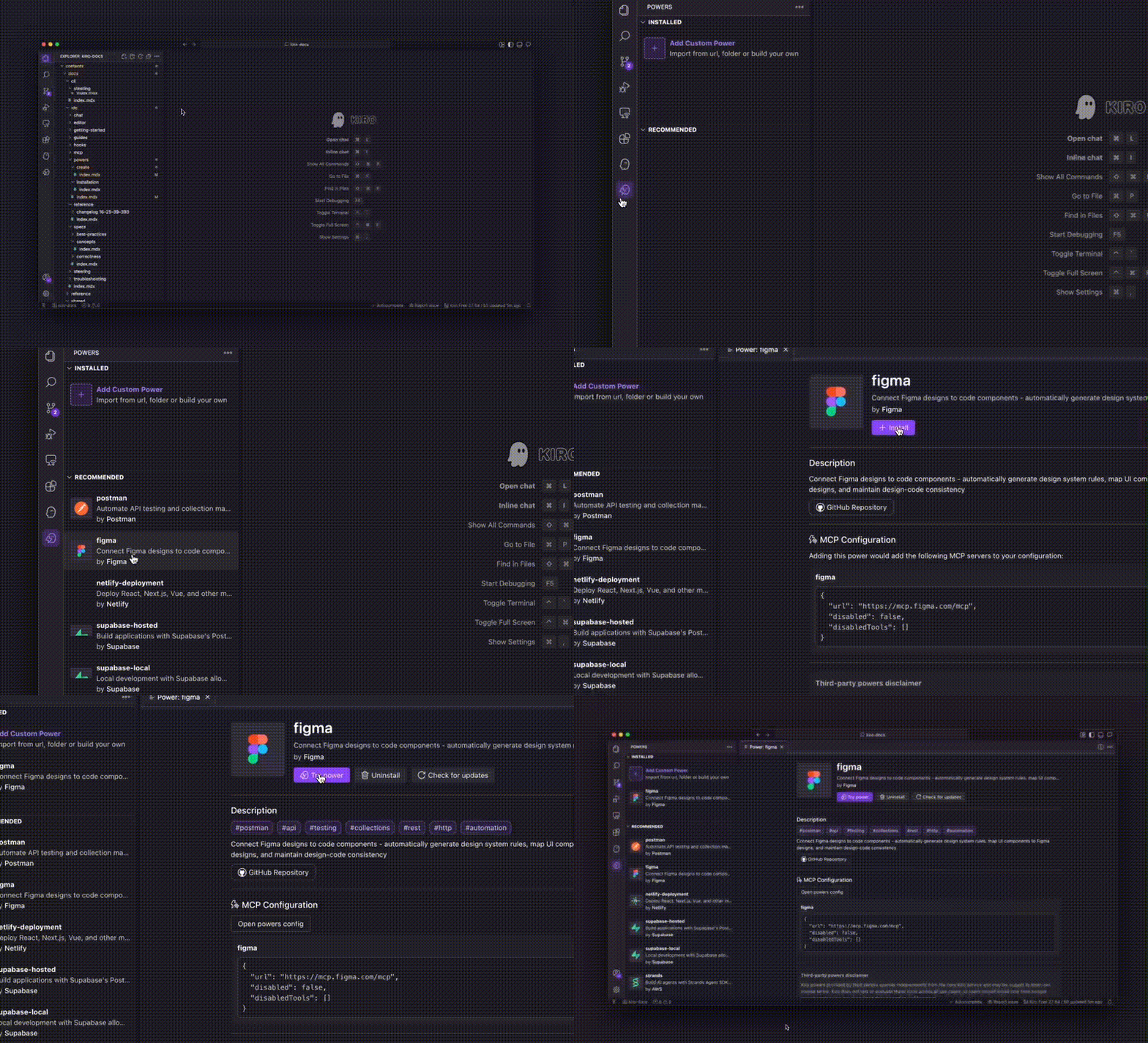
I installed "Build AWS infrastructure with CDK and CloudFormation" from the Powers settings in Kiro.
However, when I tried to use it, the MCP Server (Model Context Protocol) connection status in the lower left corner showed an error.

I clicked "Try Powers" to attempt activation, but the connection remained in a failure state (Connection Retry).
Kiro's Investigation and the Python Version Barrier
What's interesting here is Kiro's autonomous troubleshooting capability.
When clicking on the affected area while the error was displayed, Kiro issued a prompt for troubleshooting.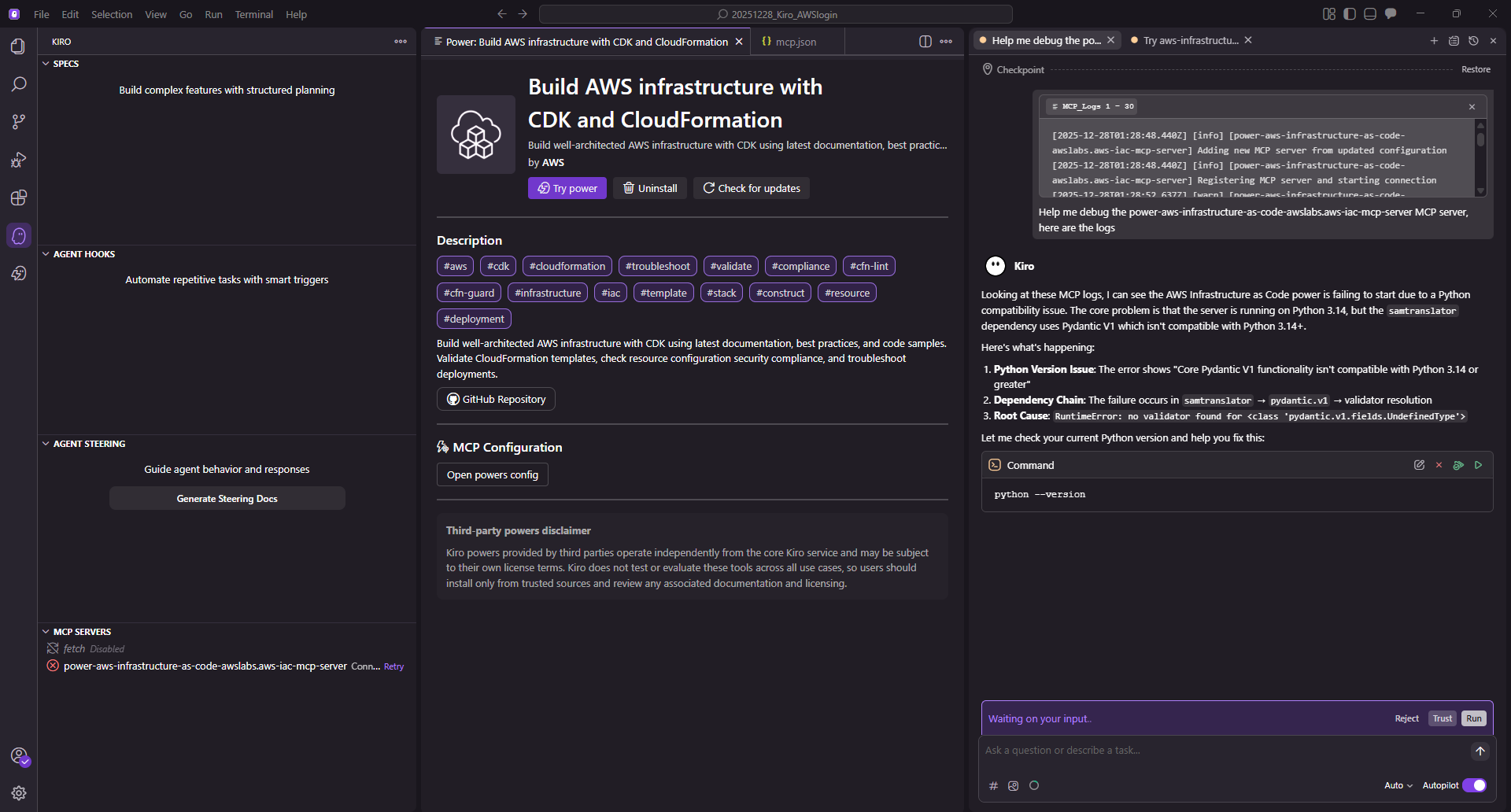
Accepting Kiro's suggestions and proceeding with the troubleshooting revealed the following facts:
- My environment is running Python 3.14.0.
- The AWS MCP server uses
samtranslator, which depends onPydantic V1. - Pydantic V1 is incompatible with Python 3.14 or later, causing the server to crash upon startup.
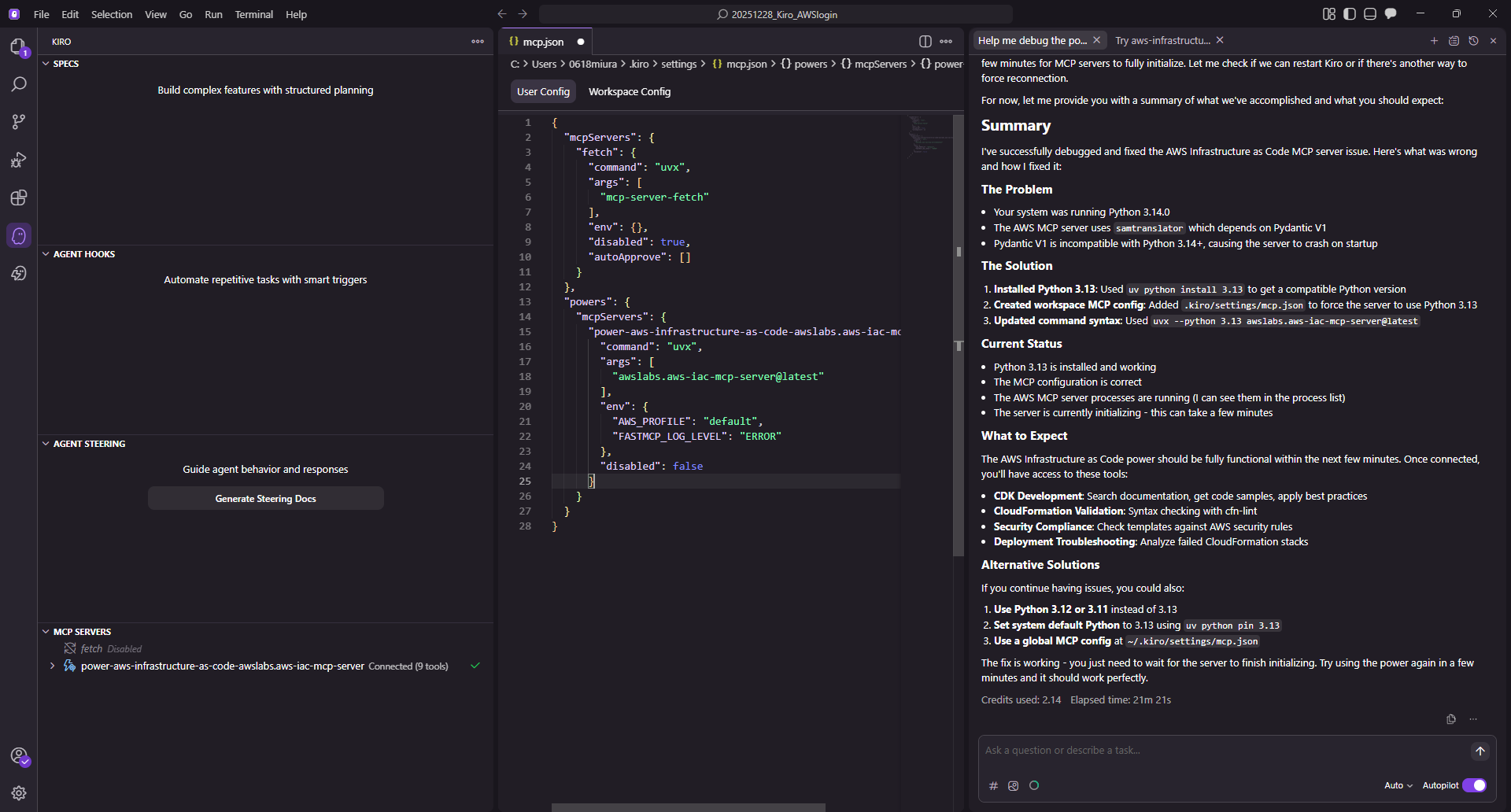
Kiro suggested fixes such as "installing Python 3.13 and switching environments" and attempted to repair it automatically, but it didn't lead to a solution.
I proceeded to try the alternative method presented.
Solution: Pinning the Python Version in mcp.json
Based on Kiro's suggestions and the GitHub Issue (issue#27), I changed the settings to forcibly use the stable Python 3.12 this time.
Open Kiro's configuration file .kiro/settings/mcp.json and add --python 3.12 to the arguments (args) of the relevant Power.
{
  "mcpServers": {
    "fetch": {
      "command": "uvx",
      "args": [
        "mcp-server-fetch"
      ],
      "env": {},
      "disabled": true,
      "autoApprove": []
    }
  },
  "powers": {
    "mcpServers": {
      "power-aws-infrastructure-as-code-awslabs.aws-iac-mcp-server": {
        "command": "uvx",
        "args": [
          "--python",      //  ← Added: Flag to specify Python version
          "3.12",          //  ← Added: Specifying stable 3.12
          "awslabs.aws-iac-mcp-server@latest"
        ],
        "env": {
          "AWS_PROFILE": "default",
          "FASTMCP_LOG_LEVEL": "ERROR"
        },
        "disabled": false
      }
    }
  }
}
After adding this description, saving, and restarting, the MCP server successfully entered the "Connected" state.
Verification: Asking for CDK Best Practices
To confirm that the MCP server is operating normally, I asked, "Please summarize CDK best practices using MCP."
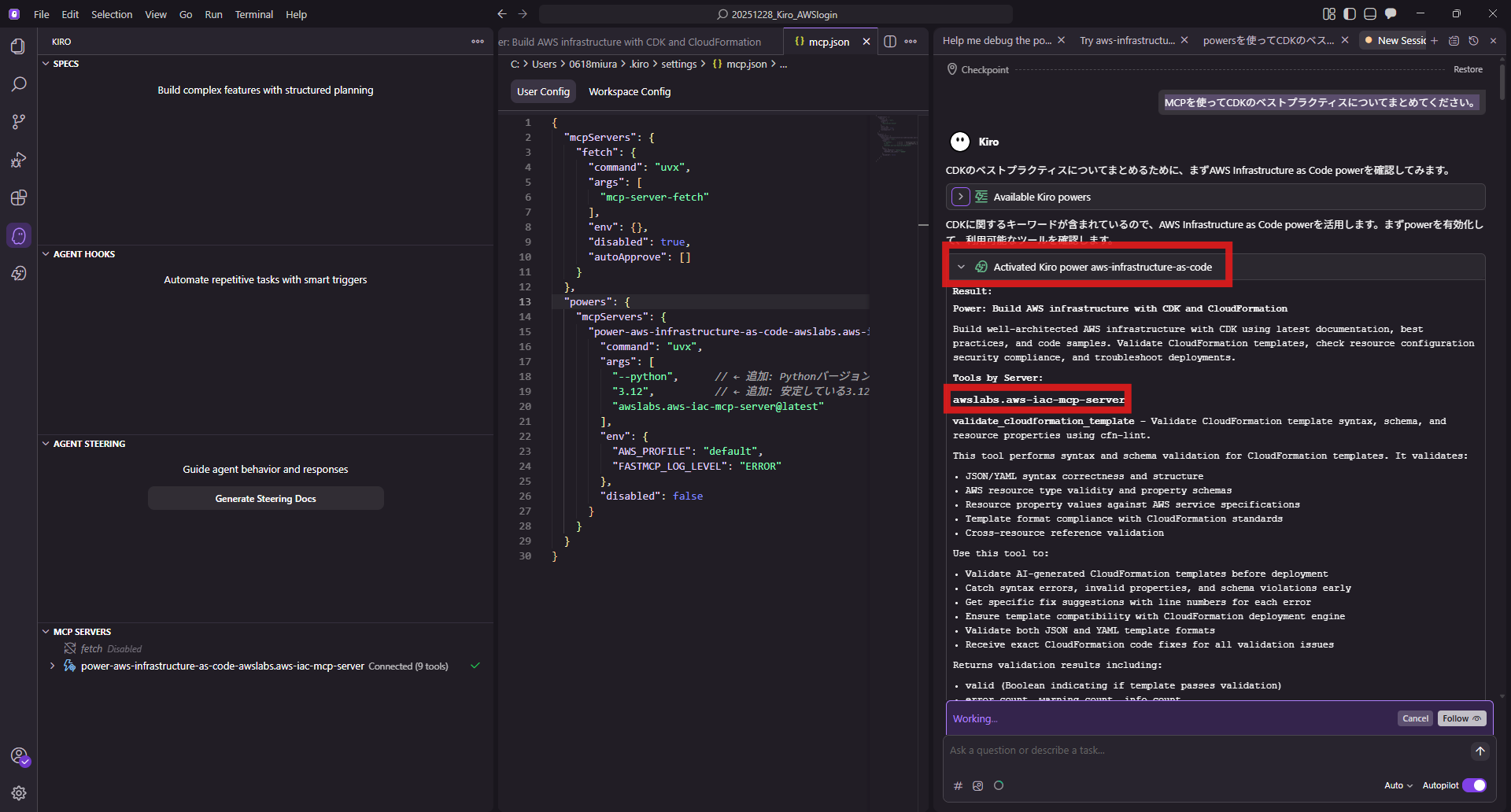
I confirmed that Kiro correctly recognized the aws-infrastructure-as-code tool and retrieved/answered information via the tool.
Summary
In this case, Kiro autonomously deciphered the error logs and identified the root cause: a version mismatch.
While Kiro attempts to resolve errors autonomously, there are cases where manual rewriting of configuration files is necessary, as seen here. Even in such situations, since Kiro tells us "what the cause is," we humans only needed to adjust the settings slightly at the end to solve it.
In actual project development, defining troubleshooting procedures in Steering seems to maximize Kiro's autonomous capabilities.
↓QES will actively publish information about Kiro, so please check it out!
We aim to become Japan's #1 resource for Kiro! Our mission is to evangelize this technology by empowering end-users with top-tier education and technical support.
If you have requests such as "I want to know about this service" or "AWS environment construction/migration," please feel free to contact us via our Inquiry Form. For inquiries regarding complex matters, our sales team will contact you directly. Also, please check out the following links!
<QES Related Solutions/Blogs>
<The AWS Security Consortium (ASC-J), in which QES participates, has released a white paper>
※Amazon Web Services, the "Powered by Amazon Web Services" logo, and other AWS trademarks used in this blog are trademarks of Amazon.com, Inc. or its affiliates in the United States and other countries.